


Real iMessage and SMS inside HubSpot — in your Conversations inbox, on the contact record, and in your workflows.

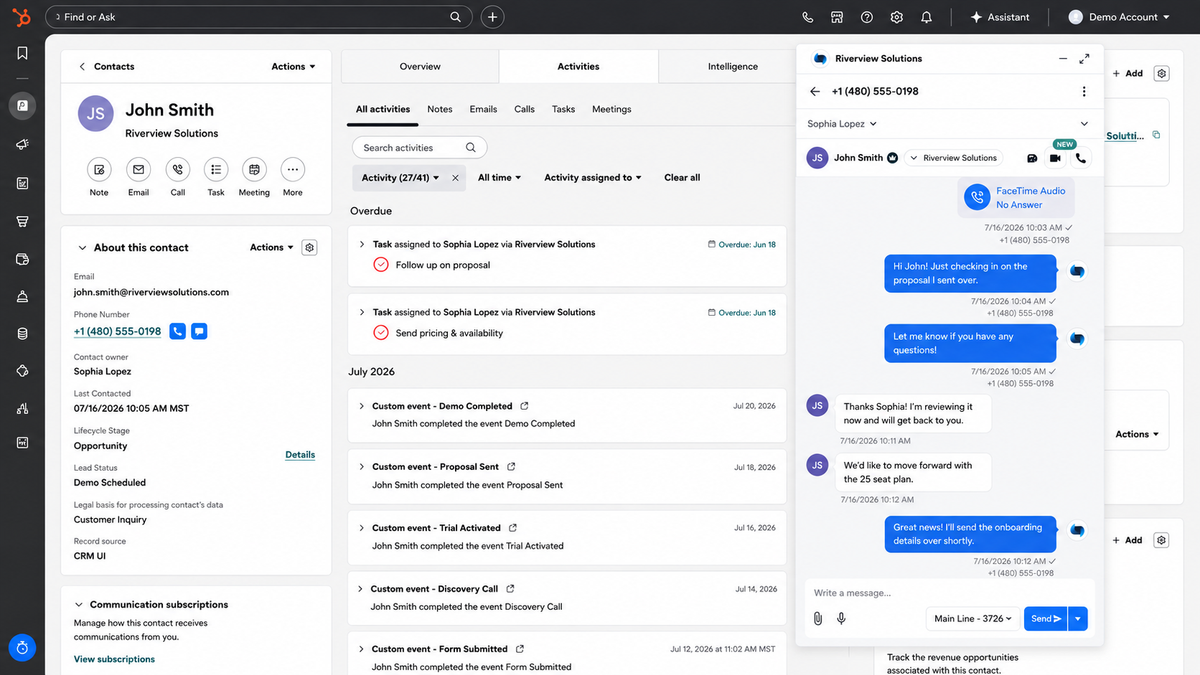
Project Blue connects to HubSpot as a custom channel so your team can text from the Conversations inbox they already work out of, while every message, call, recording, and transcript logs itself to the contact record automatically.
Threads land in the Conversations inbox your team already works from. Reps reply there and it sends as real iMessage from their own line — or SMS if the contact isn't on iMessage.

A Project Blue card sits in the contact sidebar with full history and a send box. Our Chrome extension adds message and call buttons to every phone number in HubSpot.
Send iMessage and Check iMessage Availability install as native workflow actions. Both run in contact and deal workflows, so a stage change can text the buyer from the rep who owns them.
Every inbound message posts to a HubSpot webhook trigger the moment it lands, with the body, direction, line, and contact ID. Route hot replies, notify the team, or exit the sequence.
We sync your HubSpot owners on install, so each line belongs to a rep. Sends route through the contact or deal owner, and sticky routing keeps every thread on one number.
Every call logs itself to HubSpot with duration, outcome, recording, and an AI transcript. Missed calls, voicemail, and FaceTime Audio included.