


Project Blue logo
Close CRM

Project Blue for Close CRM

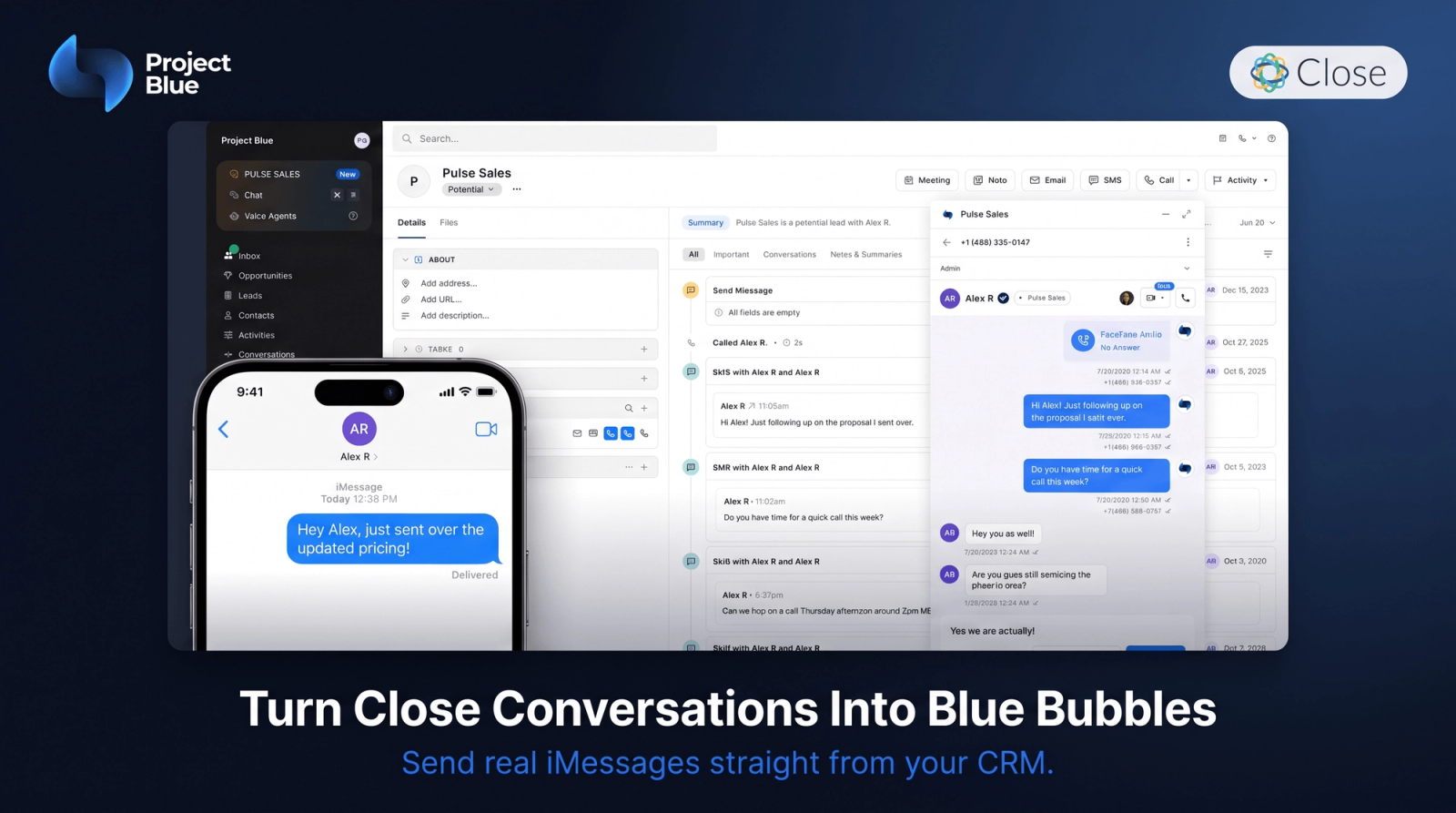
Send and receive real blue-bubble iMessage from Close, with every text, call, recording, and AI transcript logged to the lead automatically.
✓ 14 days of Project Blue on us
Close CRM

Why use Project Blue with Close CRM?

Project Blue connects to your Close organization over OAuth and gives every rep a real iPhone line they can text from without leaving the CRM. Inbound and outbound messages land on the lead as native Close SMS activities, and dialer and FaceTime calls log as call activities with duration, recording, and an AI transcript. Your reps keep working in Close; Project Blue keeps the record complete.

1
Native Conversations

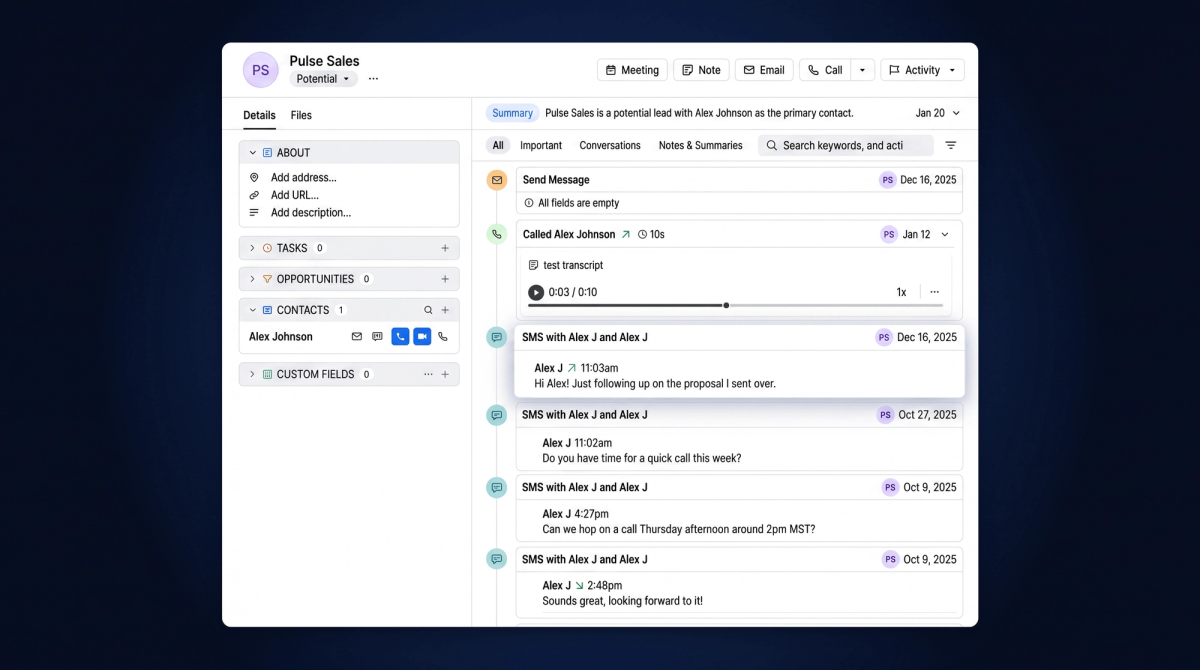
Real blue-bubble iMessage, logged on the lead

Project Blue sends from actual iPhone lines, so leads get blue bubbles instead of another 10DLC blast. Every message both ways writes to the lead as a native Close SMS activity.
Real blue-bubble iMessage, logged on the lead
Native Conversations
2
Embedded in Close

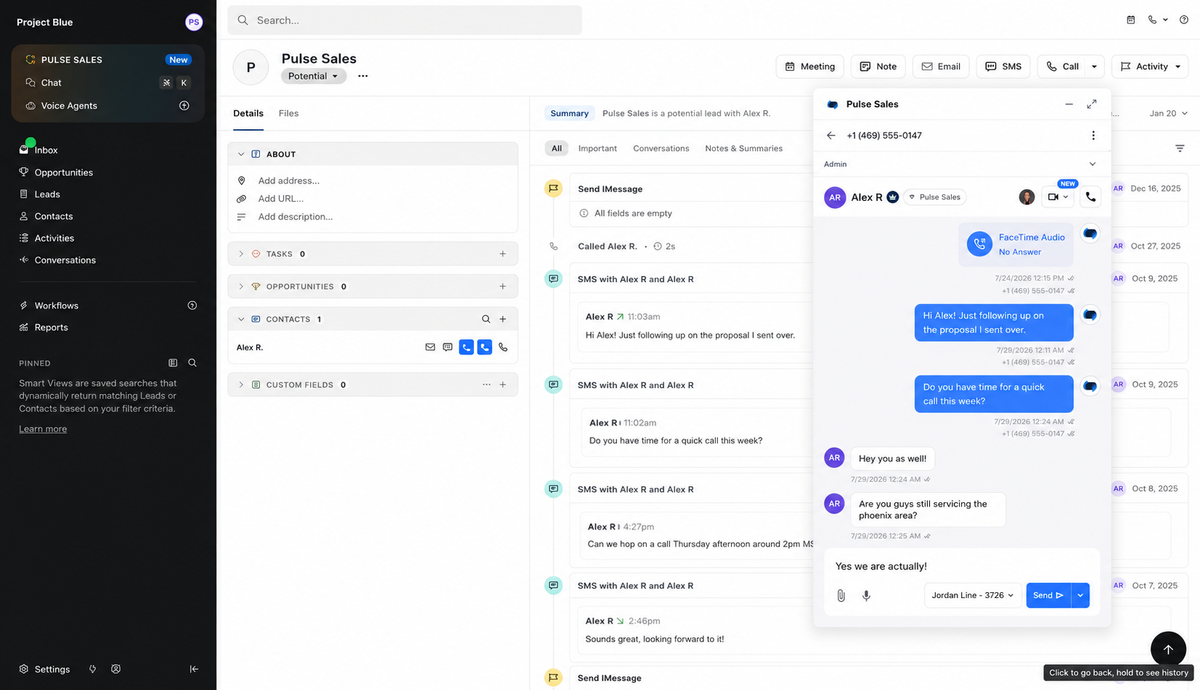
Message and dial from any phone number in Close

Our Chrome extension adds message and dial buttons to every phone number in Close. Click either and Project Blue opens in an overlay with the full conversation and dialer.
Message and dial from any phone number in Close
Embedded in Close
3
Reporting

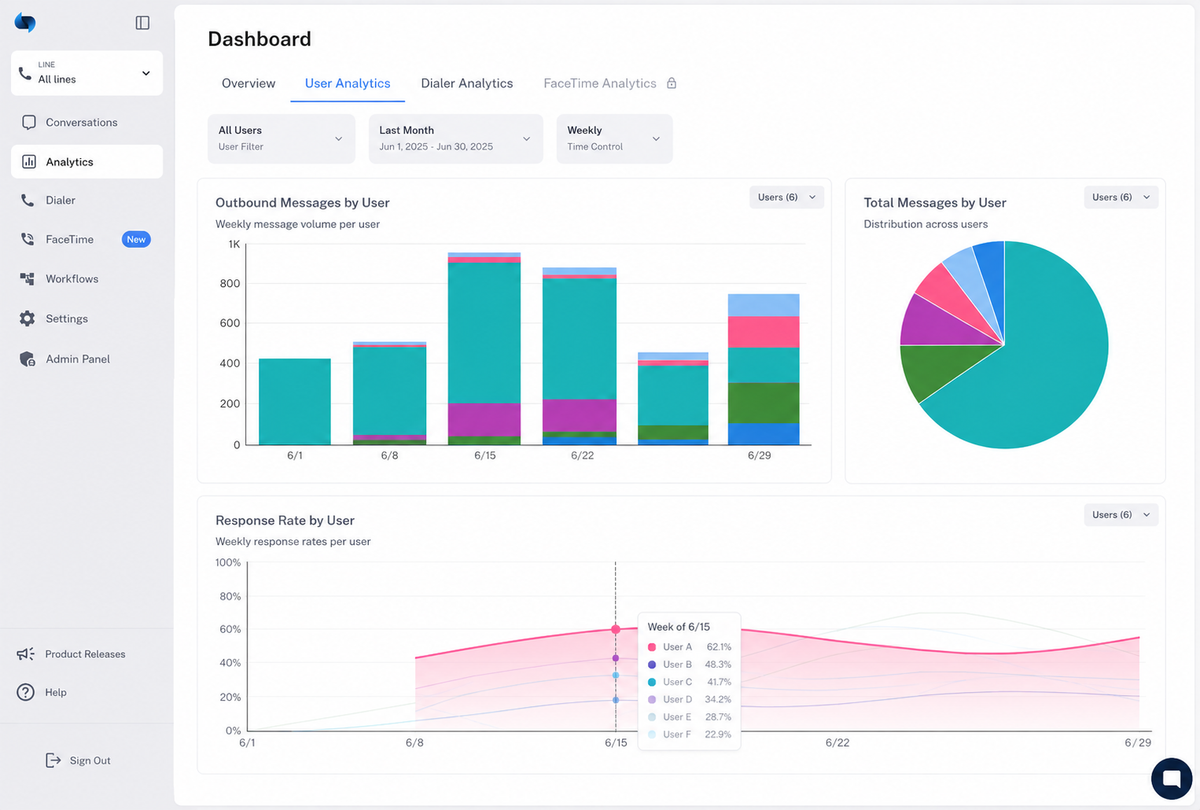
See which reps and messages actually get replies

Volume, response rates, and time-to-first-reply broken out by rep and by line. Managers see who's working their leads without opening a single conversation.
See which reps and messages actually get replies
Reporting
4
Reply Automation

Every reply can kick off the next step

Replies can trigger a Project Blue Workflow with follow-ups and wait-for-reply branches, ping the line owner in Slack, or fire a webhook. Automated sends log to the lead like a rep's own.
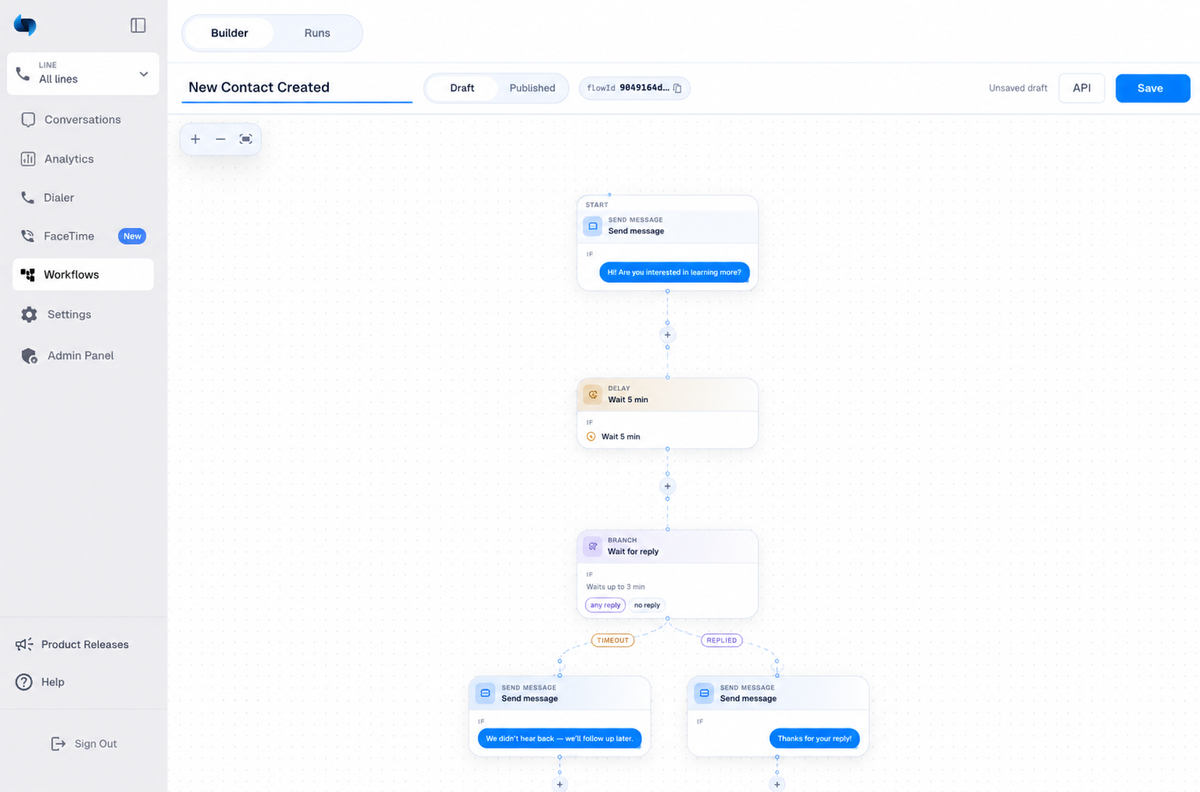
Every reply can kick off the next step
Reply Automation
5
Calls & Recordings

Calls, recordings, and AI transcripts on the lead timeline

Dialer and FaceTime calls log to Close with direction, outcome, and duration. Recorded calls attach the recording and an AI transcript. Missed calls log too, so reporting covers every attempt.
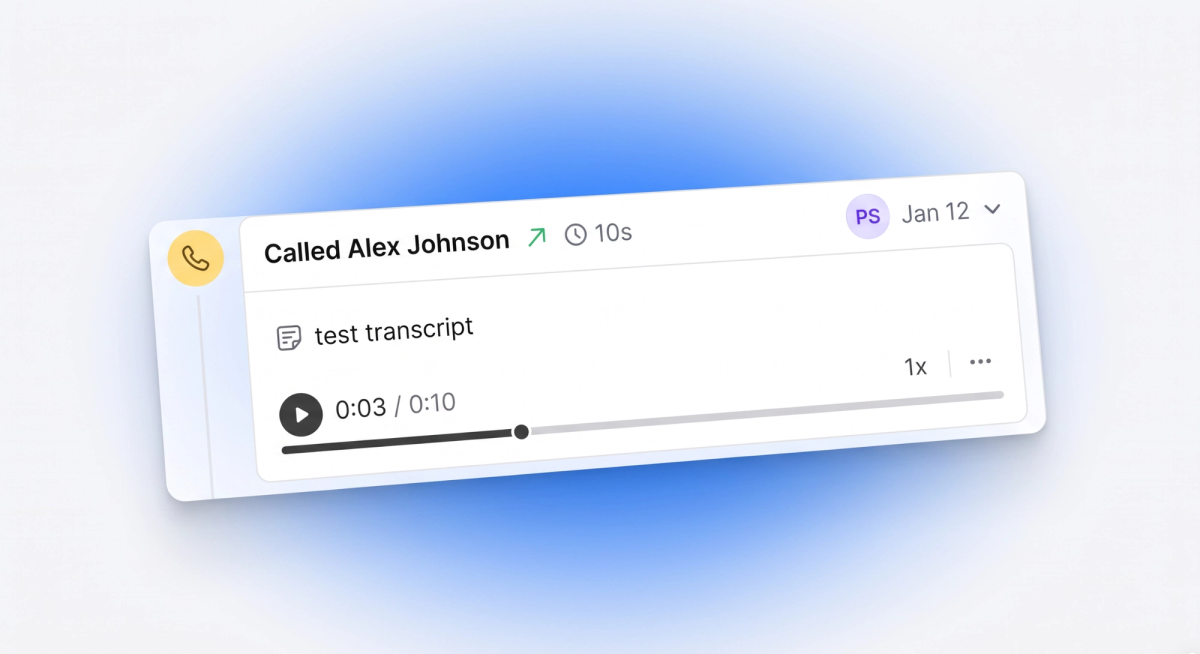
Calls, recordings, and AI transcripts on the lead timeline
Calls & Recordings
6
User & Line Routing

Every rep texts from their own number

Assign each iPhone line to a Close user and their sends go out from that number. Sticky routing keeps a lead on one line, and daily limits spread new leads across your numbers.

Every rep texts from their own number
User & Line Routing
Sales
Speed to lead — a new lead lands in Close and gets a text from a real iPhone line within seconds, sent from the rep who owns them.
Outbound prospecting — cold outreach that arrives as blue-bubble iMessage instead of a filtered SMS, with every reply threaded onto the lead.
Follow-up sequences — Project Blue Workflows chase quiet leads with spaced follow-ups and stop the moment someone replies.
No-show recovery — text the lead the moment a call goes unanswered, with the missed call already logged in Close.
Handoffs and coverage — every message, call, recording, and transcript sits on the lead timeline, so any rep can pick up the conversation with the full history.