




Built for HighLevel
LIVE
Installed in 4,300+ Accounts
Calls that actually get picked up
Call from your CRM, log every conversation automatically, and now place native FaceTime Audio calls that actually get picked up all from your same number.
Book a Demo
3,000+ Trusted us to generate 8M+Revenue
Built for Scale. Trusted by the Best.
Blue Bubbles, Now for Calling
The same trusted, personal feel of iMessage — built into your calls. Native FaceTime Audio, placed straight from your CRM.
Native FaceTime Audio
Place FaceTime Audio calls directly from your dashboard. No personal iPhone required, no app-switching.
Trusted Channel
No spam labels, no call screening, no "Maybe Spam" tag. Just verified, personal outreach leads actually pick up.
Higher Pickup Rates
A call on a channel leads already trust and recognize converts better than one from a flagged or unknown number.
Seamless Fallback
Miss a FaceTime call? Drop straight into iMessage or SMS without losing the thread of the conversation.
Book Demo
And it's still a complete phone system
Inbound, outbound, routing, recording, voicemail. No separate app, no new hardware, no implementation partner.
Inbound & Outbound
Place and receive calls from your CRM, desktop or mobile.
Call Routing
Route inbound calls to the right rep, team, or queue.
Call Recording
Every call captured automatically -nothing gets lost.
Never Miss a Beat
Voicemail, live notifications, and full call history.
The call ends. Your CRM is already updated
No note-taking, no post-call admin, no "I'll log it later." Every conversation is recorded, transcribed, classified, and written to your CRM automatically.
Call Transcripts
Every call transcribed in full and searchable right inside your CRM.
Two-Way Calling
Complete context on both sides of the conversation, not just your team's half.
CRM Sync
Logs, transcripts, notes, and outcomes sync automatically. No manual data entry.
AI Call Outcomes
Automatically from the transcripts. No tagging, no dropdowns, no rep guesswork.
Book Demo
FAQ
Do I need an iPhone to use FaceTime Audio Calling?

No. We handle the setup on our end — once it's installed in your CRM, you can place FaceTime Audio calls from your existing line without needing a physical iPhone.

Is FaceTime Audio Calling an add-on?

Yes. It layers on top of your existing Project Blue dialer as an upgrade — you get the full dialer either way.

Do I need a new phone number?

No. Calling runs on the same line as your texting, or you can port over an existing number.

Are calls recorded and transcribed automatically?

Yes. Recording and transcription are on by default, and everything syncs to your CRM without extra setup.

What happens if a FaceTime call isn't picked up?

It falls back to iMessage or SMS automatically, so the conversation keeps moving.

Start Calling Smarter. Today.
All the power of a modern business dialer. Now with the trust of FaceTime.
Book a Demo
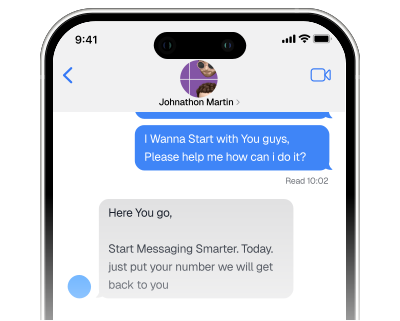
Start Messaging Smarter. Today.
All the power of iMessage. None of the red tape.
Thank you! You are being redirected!
Oops! Something went wrong while submitting the form.